Manual › Log Master › Optimization mode
Optimization mode
Two ways of deciding what the log should be cut into. Chosen when a scan is solved.
Documents Log Master 1.03 · updated 2026-09-17
The two modes
Modes
Field
Example
Description
Price-based
default
Uses the product price table as it stands and maximises net value across the whole log. Every offered product competes on price.
Preferred Cant/Sideboard
—
Maximises yield of two nominated products, cant first, and fills the remainder with anything else that fits at its real price.
Preferred cant and sideboard
Nominates the two products the log should be cut to where possible, rather than letting price alone decide.
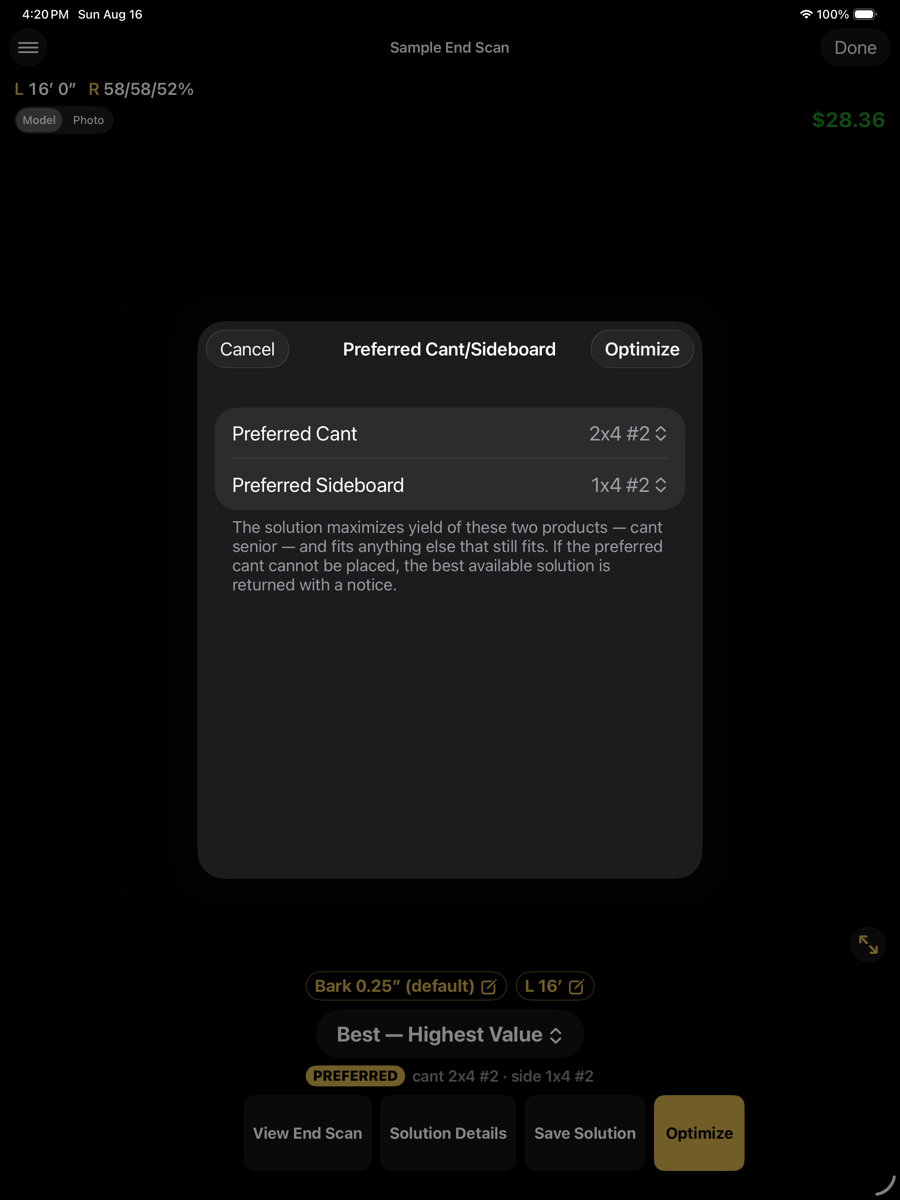
Preferred Cant/Sideboard
Preferred mode
Field
Example
Description
Preferred Cant
2x4 #2
The product the centre cant is cut to. Takes priority over the sideboard.
Preferred Sideboard
1x4 #2
The product sideboards are cut to where they fit.
Optimize
top right
Solves with these two products preferred.
Cancel
top left
Leaves the mode unchanged.
If the preferred cant cannot be placed in the log, the best available solution is returned instead, with a notice. The solution is not suppressed and the run does not fail.
Reading the result
A solution produced in this mode carries a PREFERRED badge naming the two products, below the alternative picker. Where the preferred cant could not be placed, a warning is shown alongside it.