Product groups and definitions
What a single product is: its size, how much wane it tolerates, where it may be cut from, the lengths it is offered in and its prices.
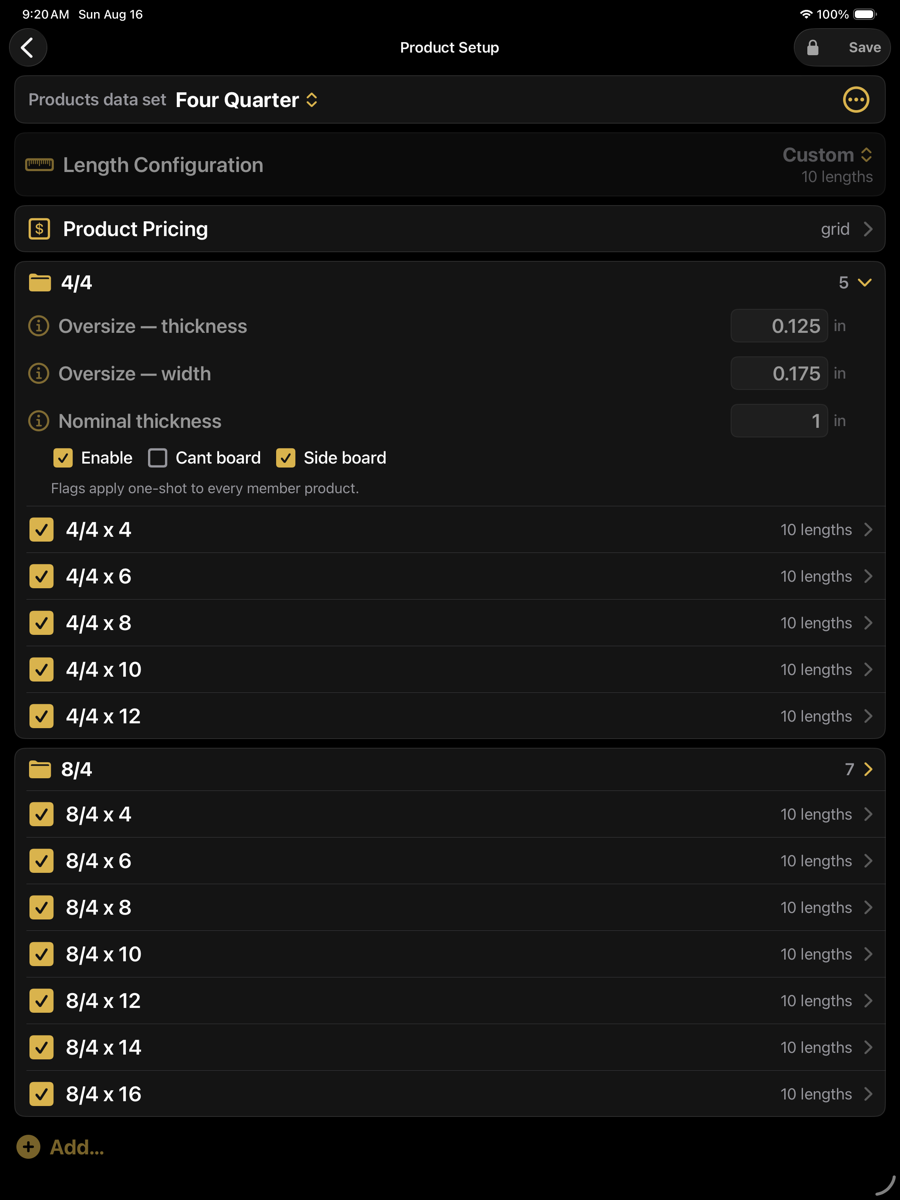
Groups
Products are collected into groups. A group carries the per-group rate used by Auto-Fill, and gives the price table its section headings.
Basic
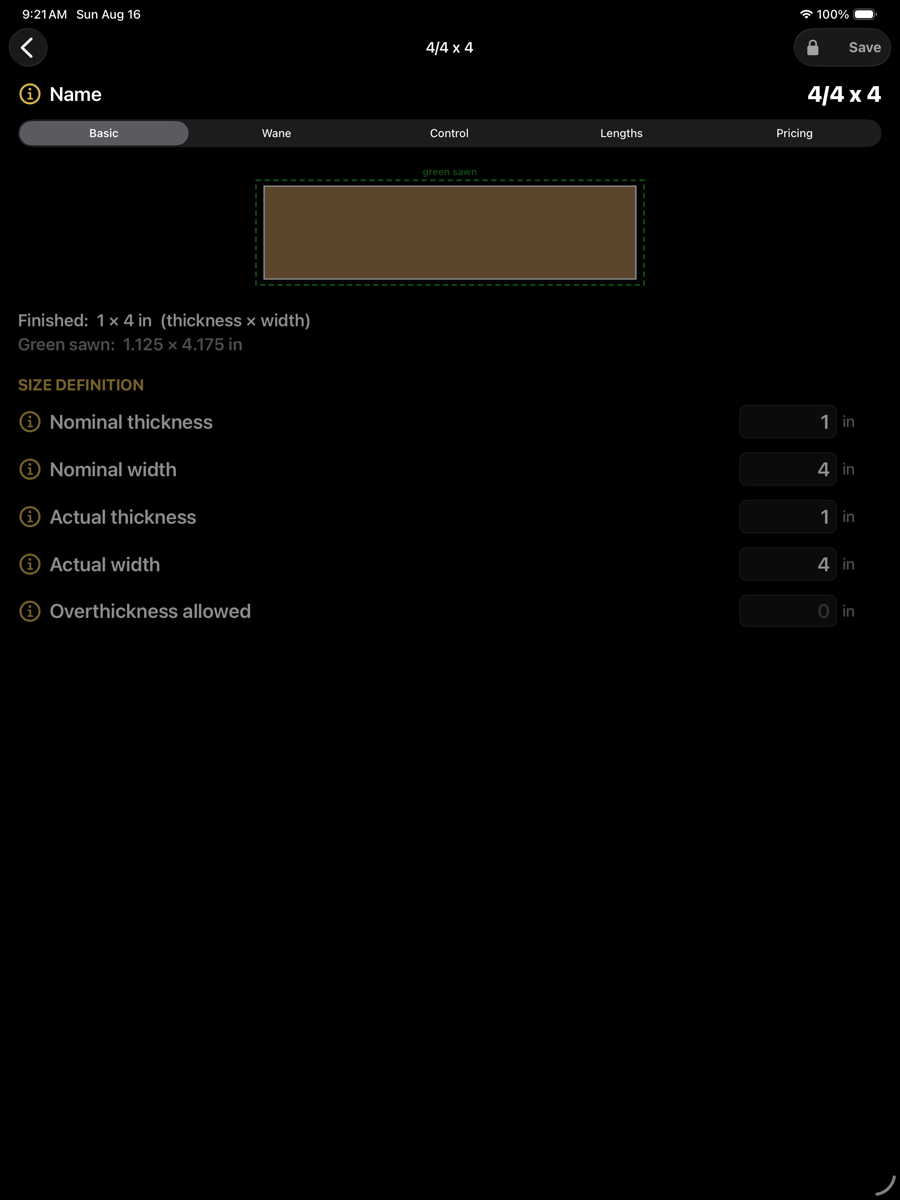
The size. The drawing shows the finished section inside the green-sawn section, so the allowance between them is visible.
Basic — finished 1 × 4 in, green sawn 1.125 × 4.175 in
Size definition
Name
4/4 x 4
How the product is named throughout the app, in board labels and in reports.
Nominal thickness
1 in
The thickness the product is sold and priced as.
Nominal width
4 in
The width the product is sold and priced as.
Actual thickness
1 in
The finished thickness required. Nominal and actual differ where a product is sold at a nominal size but finished smaller.
Actual width
4 in
The finished width required.
Overthickness allowed
0 in
Additional thickness the board may carry above actual and still be accepted.
Wane
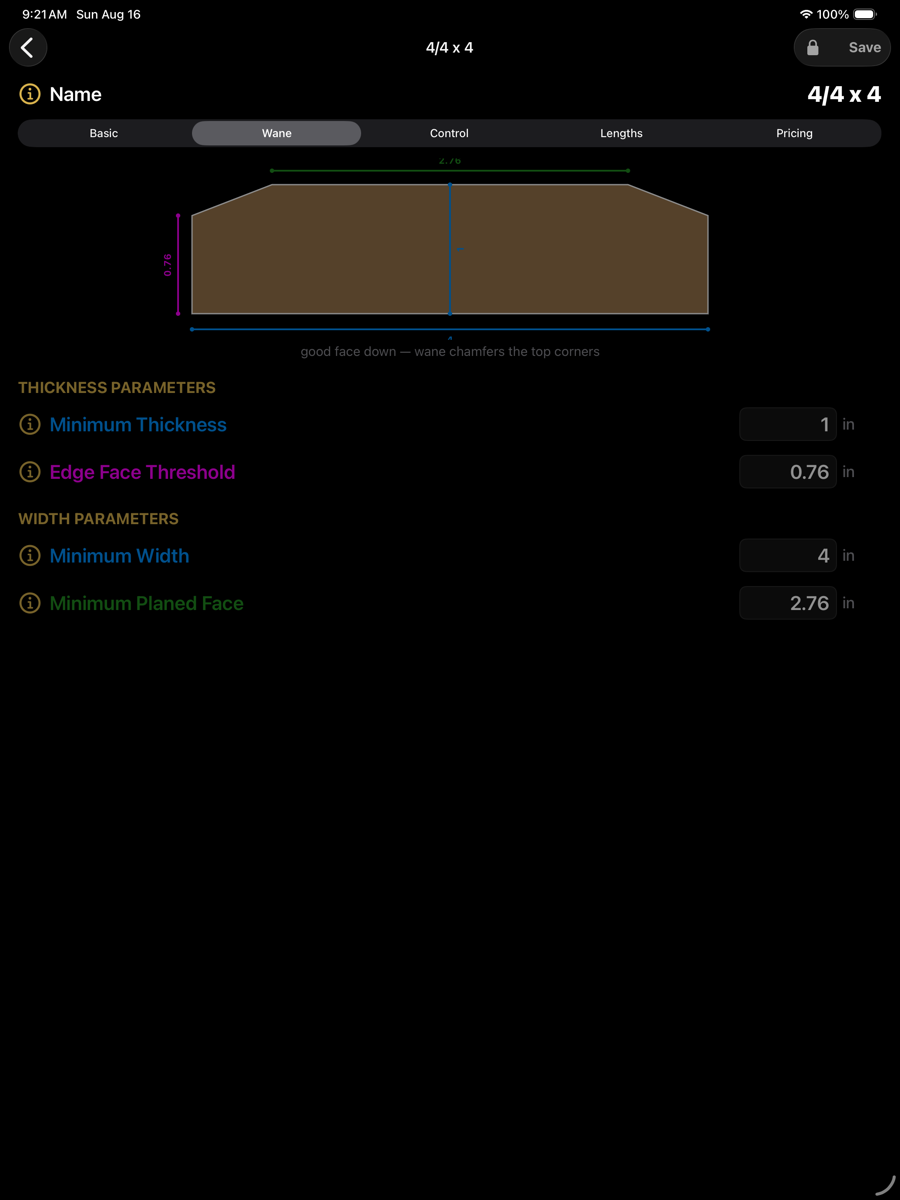
How much bark-edge loss the product tolerates. The drawing is colour-keyed to the fields: each dimension line is drawn in the colour of the field that sets it, with the board laid good face down so wane chamfers the top corners.
Wane — dimensions coloured to match their fields
Wane
Minimum Thickness
1 in
Thickness that must be present across the whole board. Below this the piece is not the product.
Edge Face Threshold
0.76 in
Thickness that must survive at the edge, where wane chamfers the corner. Sets how much corner loss is tolerated.
Minimum Width
4 in
Width that must be present at the widest point.
Minimum Planed Face
2.76 in
Width of clean face that must remain after wane. The board may be wider, but this much must be sound.
Wane settings feed the price calculation as well as placement. Auto-Fill scales a product's price by its sound fraction, so a product tolerating more wane prices lower at the same group rate.
Control
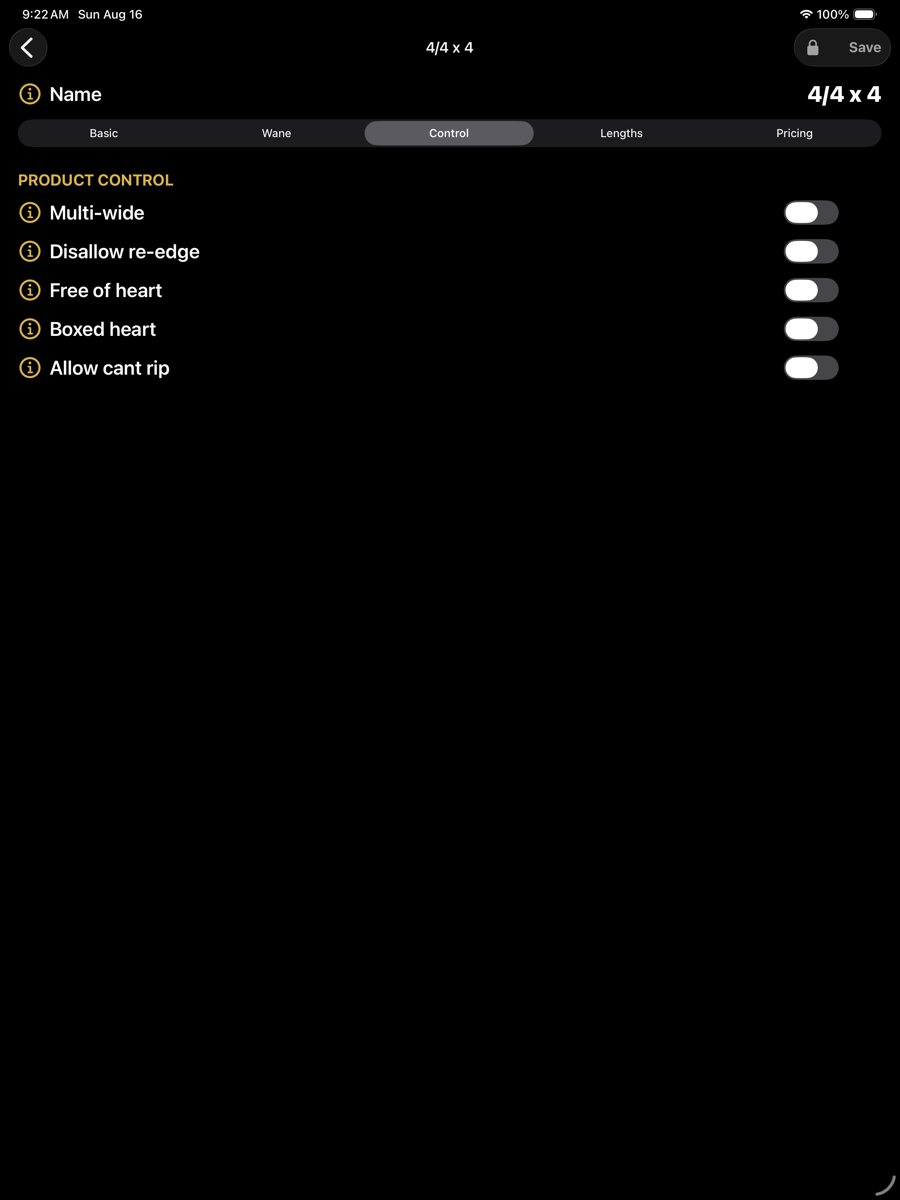
Where in the log the product may be produced.
Control
Sideboard allowed
on / off
Whether the product may be produced as a sideboard.
Cant allowed
on / off
Whether the product may be produced as the centre cant.
Multi-wide
on / off
Whether several of this product may be taken side by side from one cant slice.
Disallow re-edge
on / off
Prevents the board being re-edged to reach its width.
Free of heart
on / off
The board must not contain the heart. Placement is kept clear of the heart region set in Optimizer Setup.
Boxed heart
on / off
The board must contain the heart, centred.
Allow cant rip
on / off
Whether the cant may be ripped to produce this product.
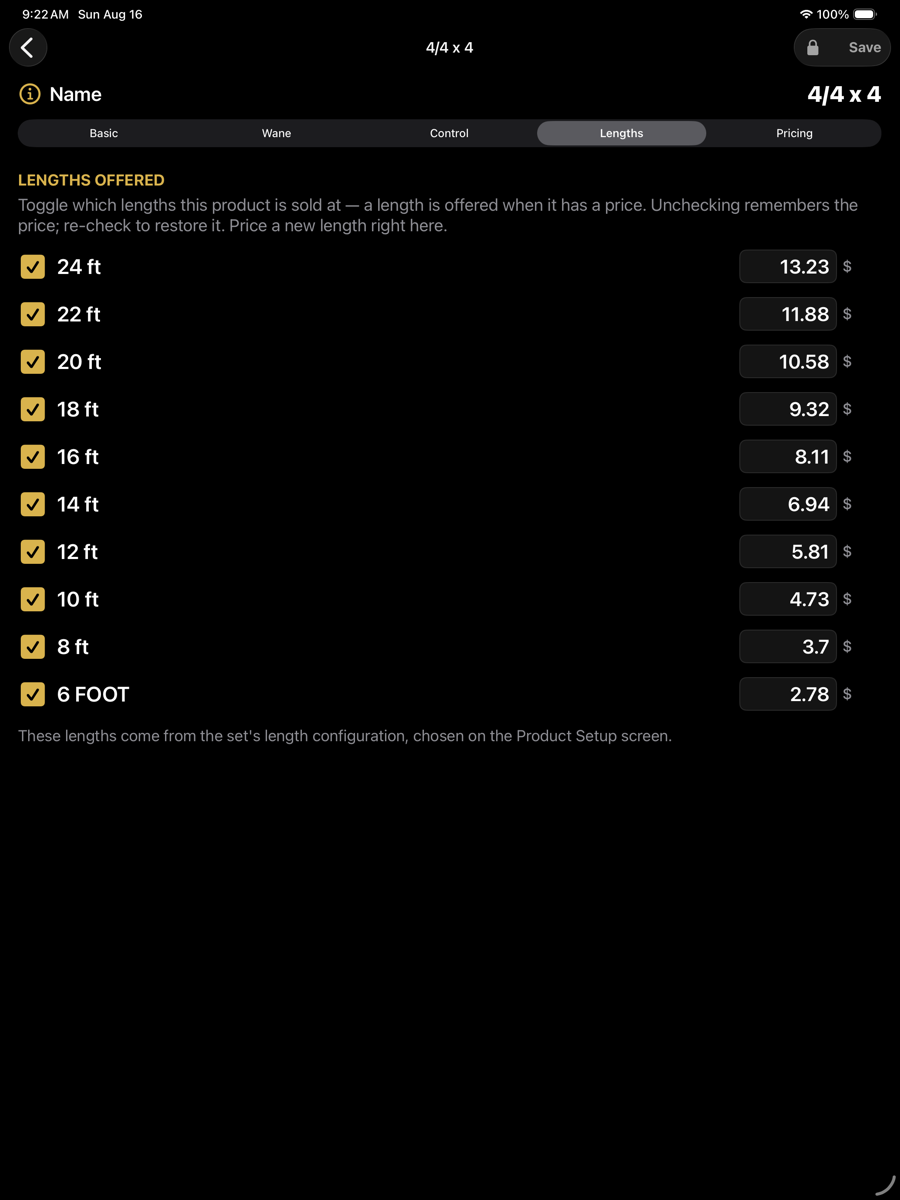
Lengths and pricing
Lengths lists the lengths from the set's length configuration and which of them this product is offered in. Pricing gives the price per piece at each offered length; a blank price means the length is not offered and the optimizer will not produce it.