Manual › Log Master › The log scan report
The log scan report
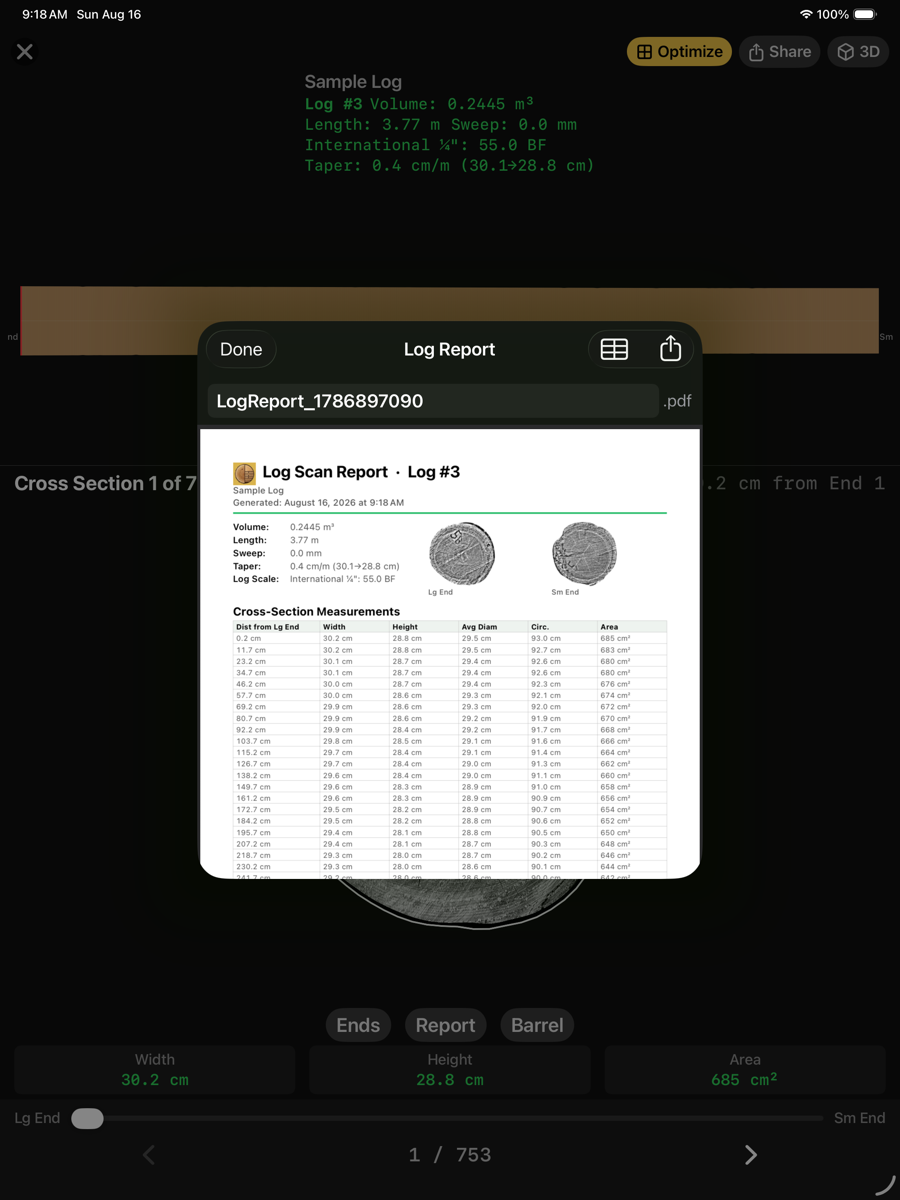
Everything the scan measured, as a document. Produced from the Report button in the log profile view.
Log Scan Report
Contents
Contents
Element
Example
Description
Header
name, log number, date
Identifies the scan and when the report was produced.
Summary
volume, length, sweep, taper, scale
The same figures as the profile view.
End faces
two images
Both ends as captured, cropped to the traced boundary.
Cross-section table
one row per station
Distance from the large end, width, height, average diameter, circumference and area.
Share
top right
Sends the PDF.
CSV
top right
Writes the cross-section table as a spreadsheet.
This report describes the log as measured. It contains no solution and no prices; those belong to the solution and batch reports.