Manual › Log Master › Change history
Change history
A record of every edit saved to a machine, optimizer or product data set, newest first.
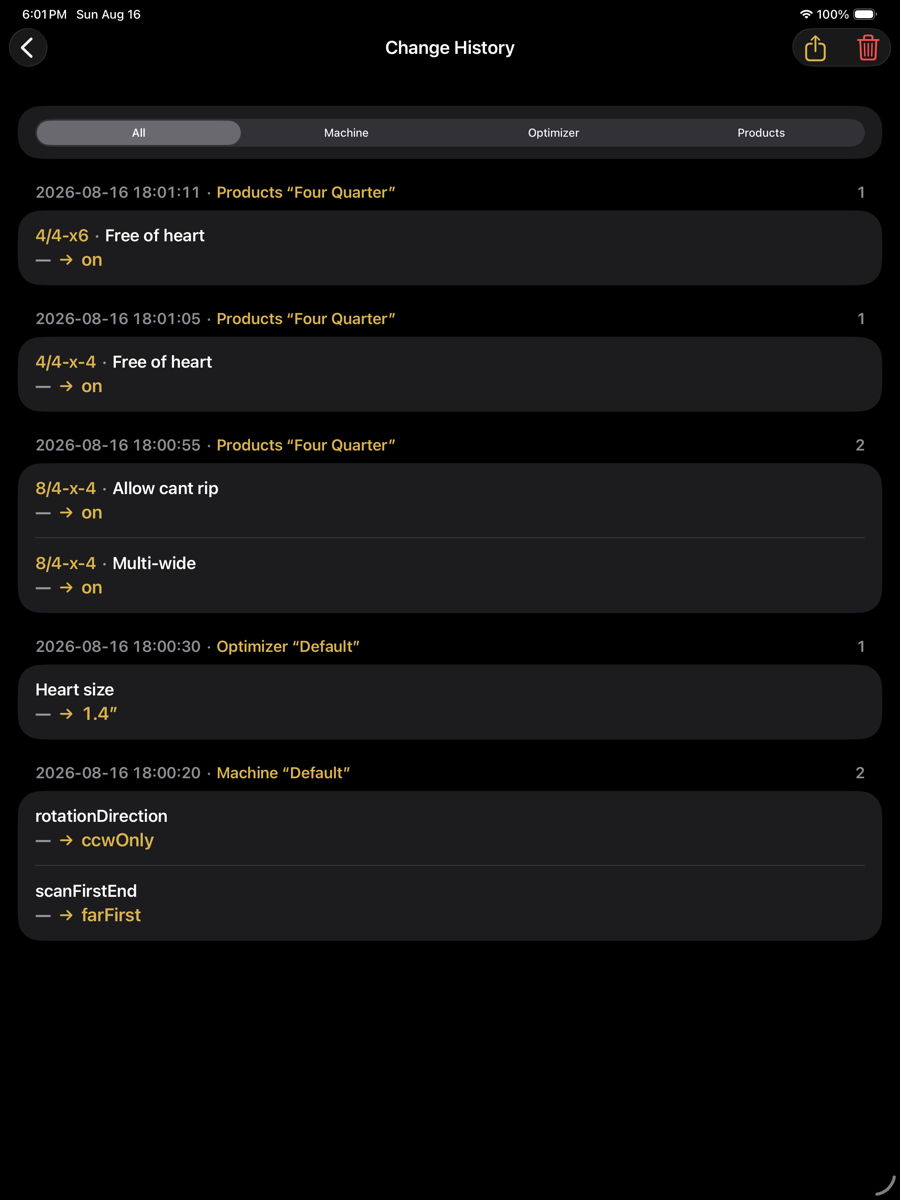
Change History — optimizer menu › Setup › Change History
Entries
Each save produces one entry, headed by its timestamp and the data set edited. Fields changed in that save are listed beneath it.
Entry contents
Element
Example
Description
Filter
All / Machine / Optimizer / Products
Restricts the list to changes affecting one kind of data set.
Timestamp
2026-08-16 18:01:11
When the change was saved.
Data set
Products “Four Quarter”
Which set was edited, and its name.
Count
1
Number of fields changed in that save.
Context
4/4-x6
The product, group or length the field belongs to. Absent for set-wide fields.
Field
Free of heart
The setting that changed.
Change
— → on
Previous value, then new value. An em dash means the field had no value before.
Share
top right
Exports the history.
Clear
top right
Deletes the history. Requires double confirmation, and the clearing is itself recorded.
What is recorded
Changes to setup data sets only. Scans, solutions and application settings are not recorded here. The history is per device and is not carried in an export pack.