The cut sequence
The working output: every cut and movement in order, with the saw height for each.
Documents Log Master 1.04.1 · updated 2026-10-25
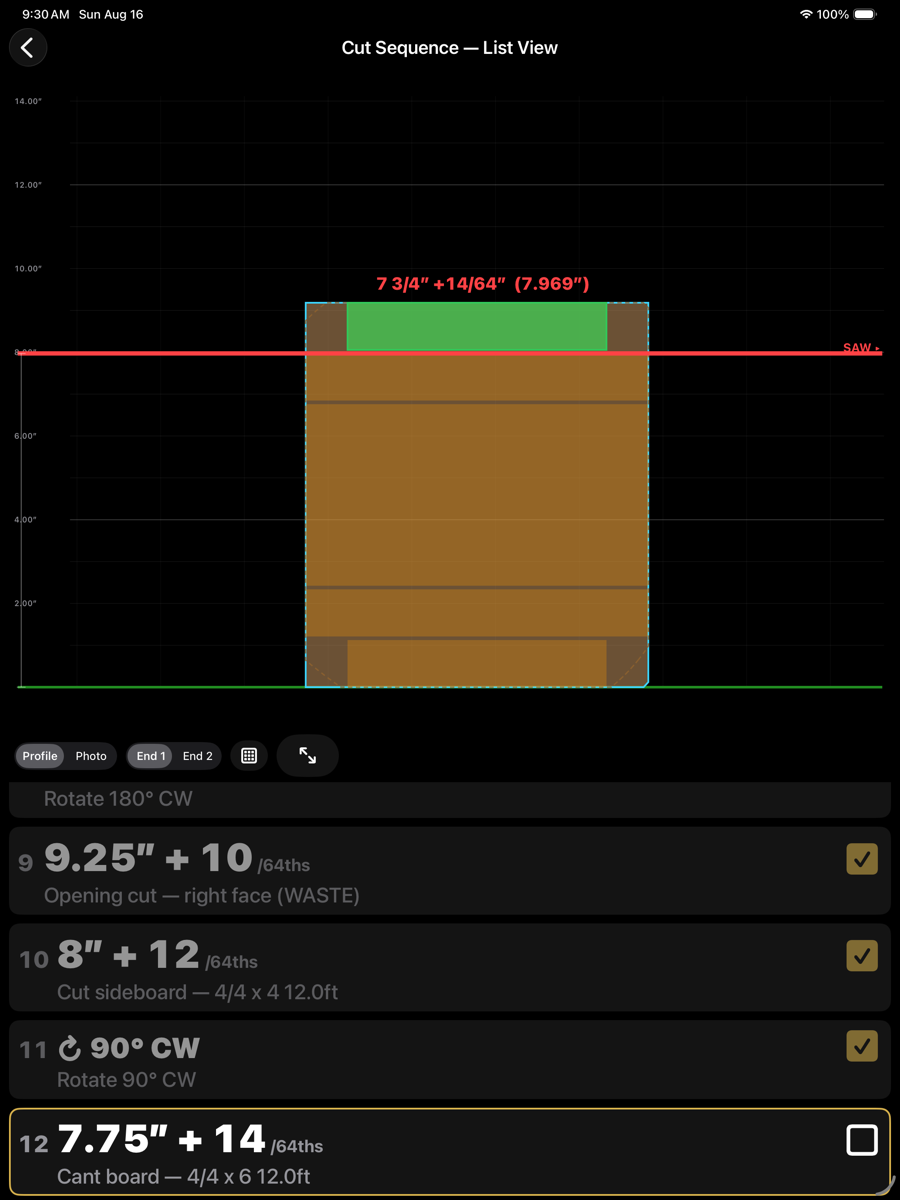
Important — saw position datumThe saw positions shown in the cut sequence are the thickness of material that will be LEFT on the mill after the saw pass — not the thickness of the piece being removed. Set your saw to leave this much material.
Graphical view — one step at a time
Graphical view
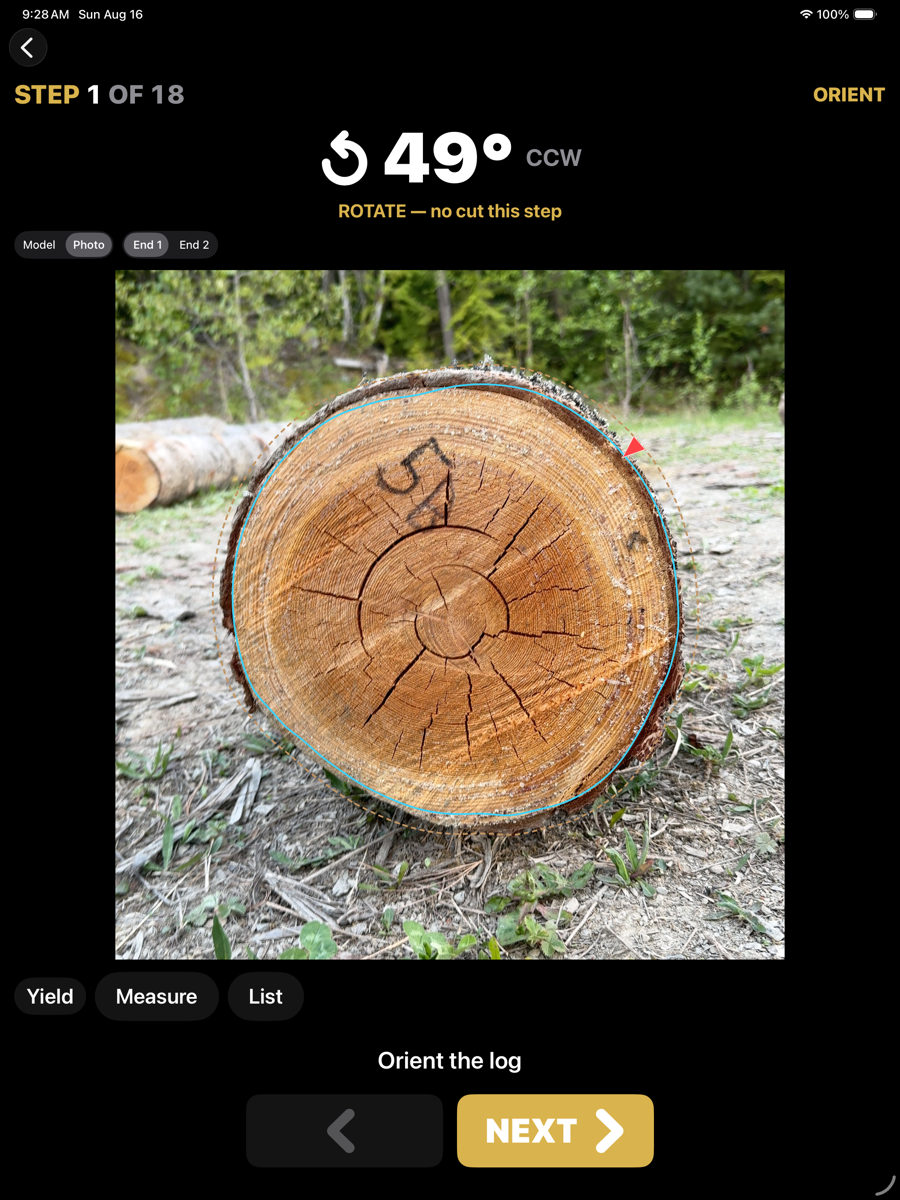
Shows the step, the movement or cut it requires, and the log as it stands at that point. Next advances; the step number and total are given at the top.
List view — the whole sequence, with the current step outlined
Rows
Row contents
Element
Example
Description
Step number
12
Position in the sequence.
Setting
12.25" + 5 /64ths
Saw height as the scale mark on the sawhead plus the setworks index count, so it can be dialled straight into the setworks. The count is in the sawhead resolution set in Machine Setup: a 1/16 in setworks reads +3 /16ths rather than +12 /64ths. The same height is also written as 12.25" + 5/64 on the drawing, and in the list as whole inches and a fraction with the decimal in brackets. With Absolute saw readout switched on in Machine Setup, every saw height instead reads as one decimal position, for example 12.328". A metric machine reads plain millimetres.
Action
Cant board — 4/4 x 6 12.0ft
What the cut produces, or the movement to make. Rotations read as a turn and an angle; waste cuts are marked WASTE. Opening cuts carry the predicted face width at each end instead — for example "Opening cut — 5.34" (End 1) / 4.35" (End 2) (WASTE)" — a check against the wood itself as the cut is made.
Tick
checkbox
Marks the step done. The current step is outlined.
View controls
Views
Element
Example
Description
Profile / Photo
toggle
Draws the section as an outline or over the end photograph.
End 1 / End 2
toggle
Which end you are looking at. The instructions are written from the carriage end.
List
grid icon
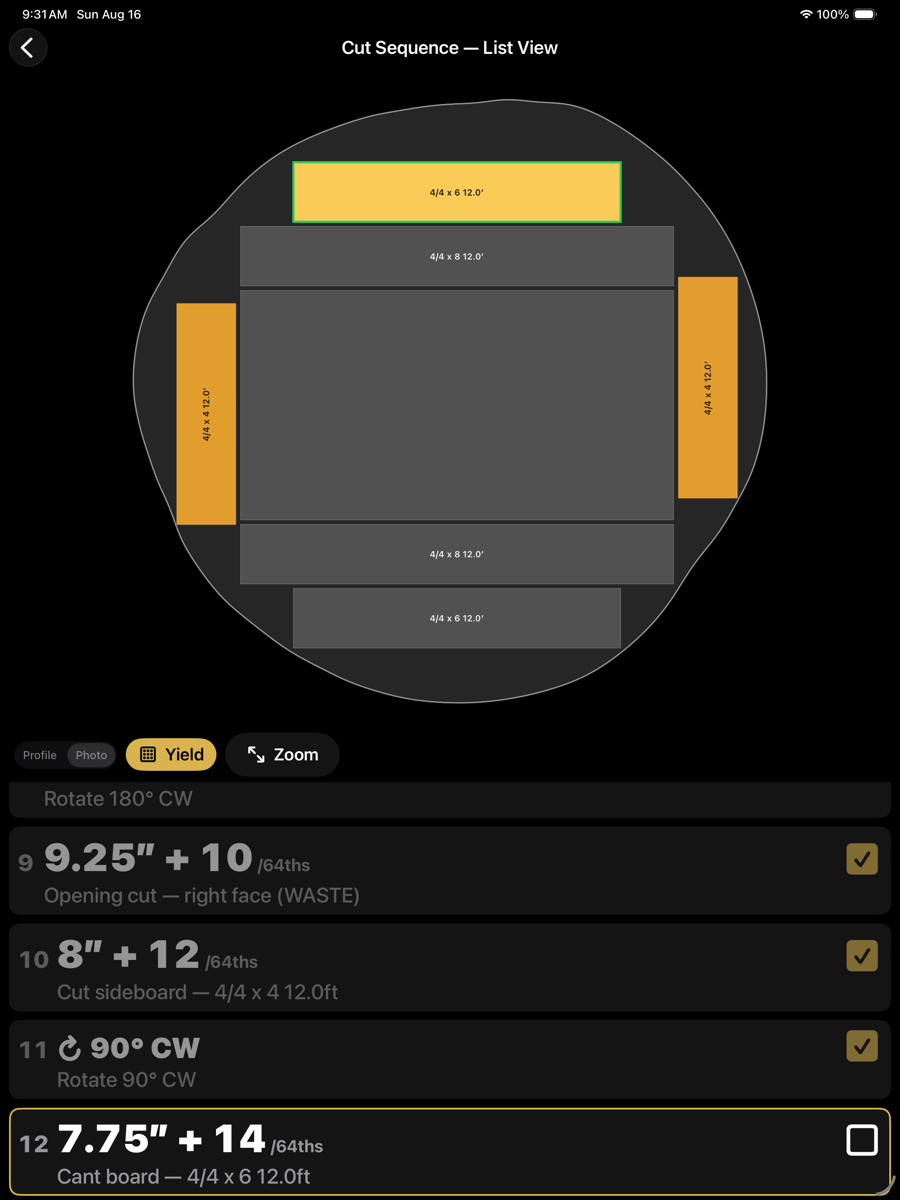
Switches between the graphical step view and this list.
Expand
⇺
Fills the screen with the drawing.
Yield — the boards recovered so far
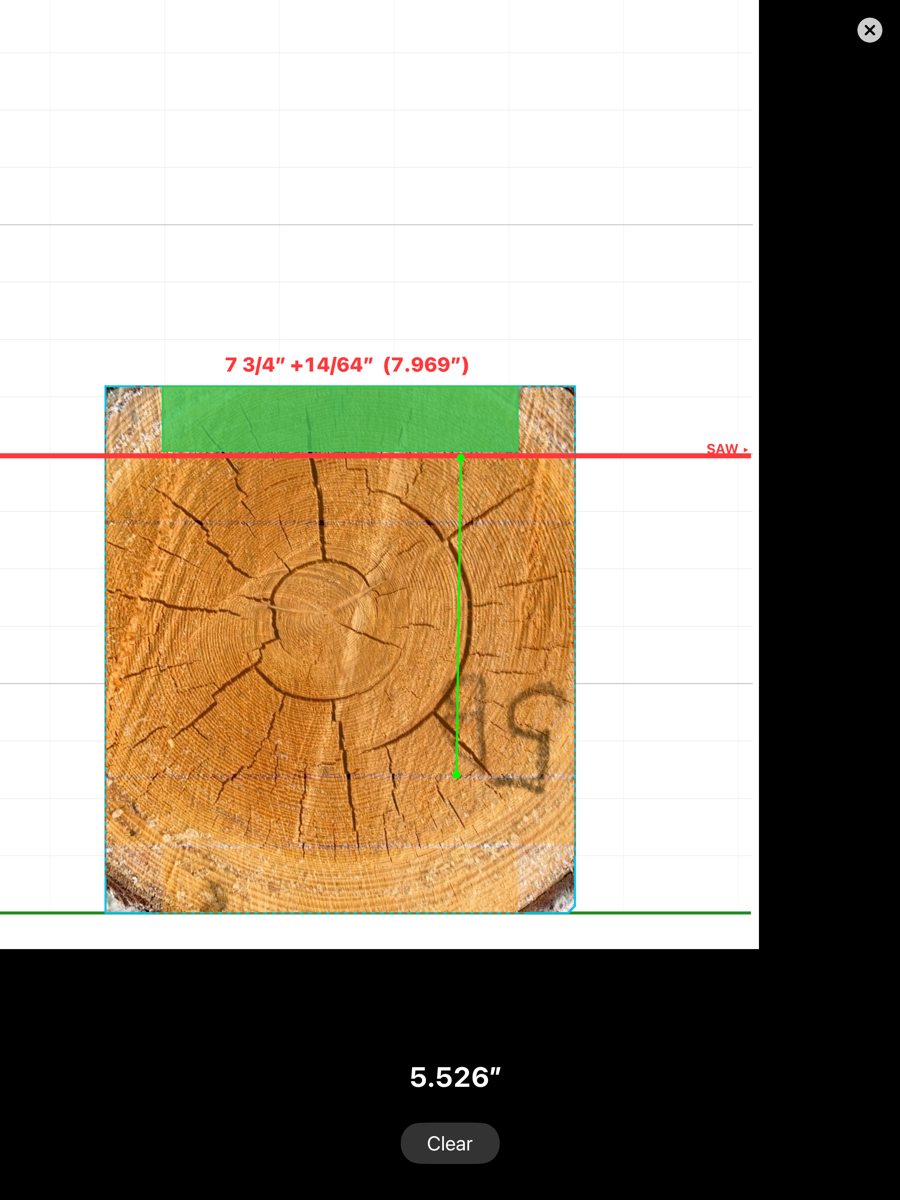
Measure — distance between two points on the section
Saw heights are rounded to the sawhead resolution, and toe-board lifts to the toe-board increment, both set in Machine Setup. The figures shown are therefore settings the machine can actually be dialled to.
Live-edge sequences
When the optimizer is set to the Live-edge sawing method, the sequence is shorter and always has the same shape: the log is rolled once to its best position, flat passes take the slabs one at a time from the top down, and the log is turned over once to free the last slab. The views, rows and controls above are the same.
Live-edge steps
Orient the log
roll angle
Rolls the log to the best position, measured counter-clockwise from the scanned pose, then the log is dogged. Reads "No rotation" when the scanned pose is already the best one.
Set toe board
lift small end
Appears only on a mill with a toe board, and only when the lift is needed to level the pith so every slab runs parallel to the grain. Set once; the log stays on this rest until the turn-over.
Opening cut
(WASTE)
Takes the round cap off the top. The flat it leaves is the top face of the first slab. Like any opening cut it carries the predicted face width at each end.
Cut slab
product × width × length
One flat pass for each slab, top down, at the saw height shown. The step names the product, the narrowest face of the slab and its sold length.
Rotate 180°
turn
The single turn-over. The last slab and its bed cap are flipped so the slab's sawn face rests on the bunk and the round cap is on top. The toe board returns to zero.
Cut off the bed cap
(WASTE)
The cap comes off as waste, leaving the last slab on the mill. The final step names that slab; there are no further cuts.
Under Live-edge there are no sideboards, no resawing and no column steps, and only the highest-value solution is offered. Free of heart and Boxed heart decide which slab carries the pith (see
Product configuration).
Hands-free advance
The iPhone Action Button, assigned in iOS Settings → Action Button → Shortcut to "Next Cut Step", moves to the next step without touching the screen — useful with gloves on at the mill. The same shortcut can be run by Siri ("Next cut step in Log Master"). Either one is debounced for a second so a double press can't skip a step unseen, and neither can ever mark the last step sawn.