Manual › Log Master › The cut sequence
The cut sequence
The working output: every cut and movement in order, with the saw height for each.
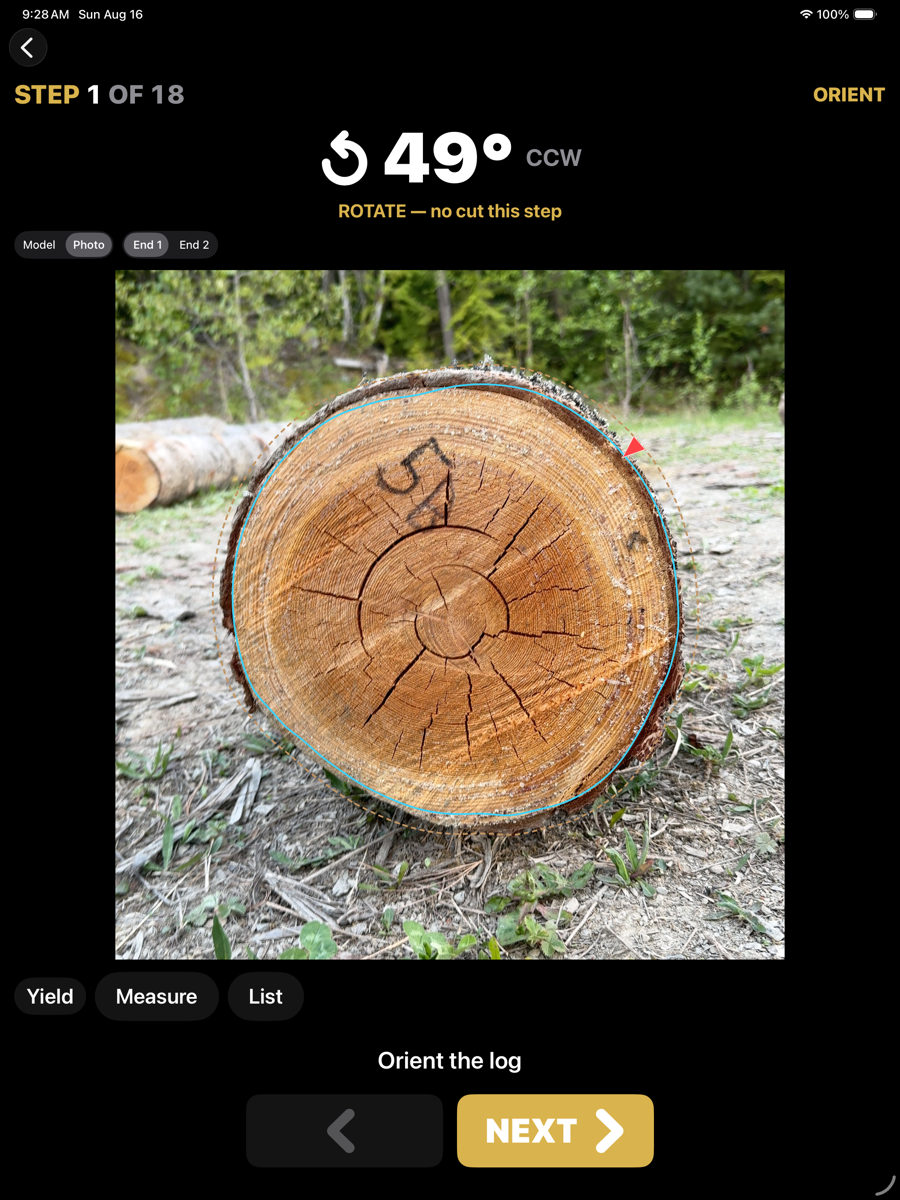
Graphical view — one step at a time
Graphical view
Shows the step, the movement or cut it requires, and the log as it stands at that point. Next advances; the step number and total are given at the top.
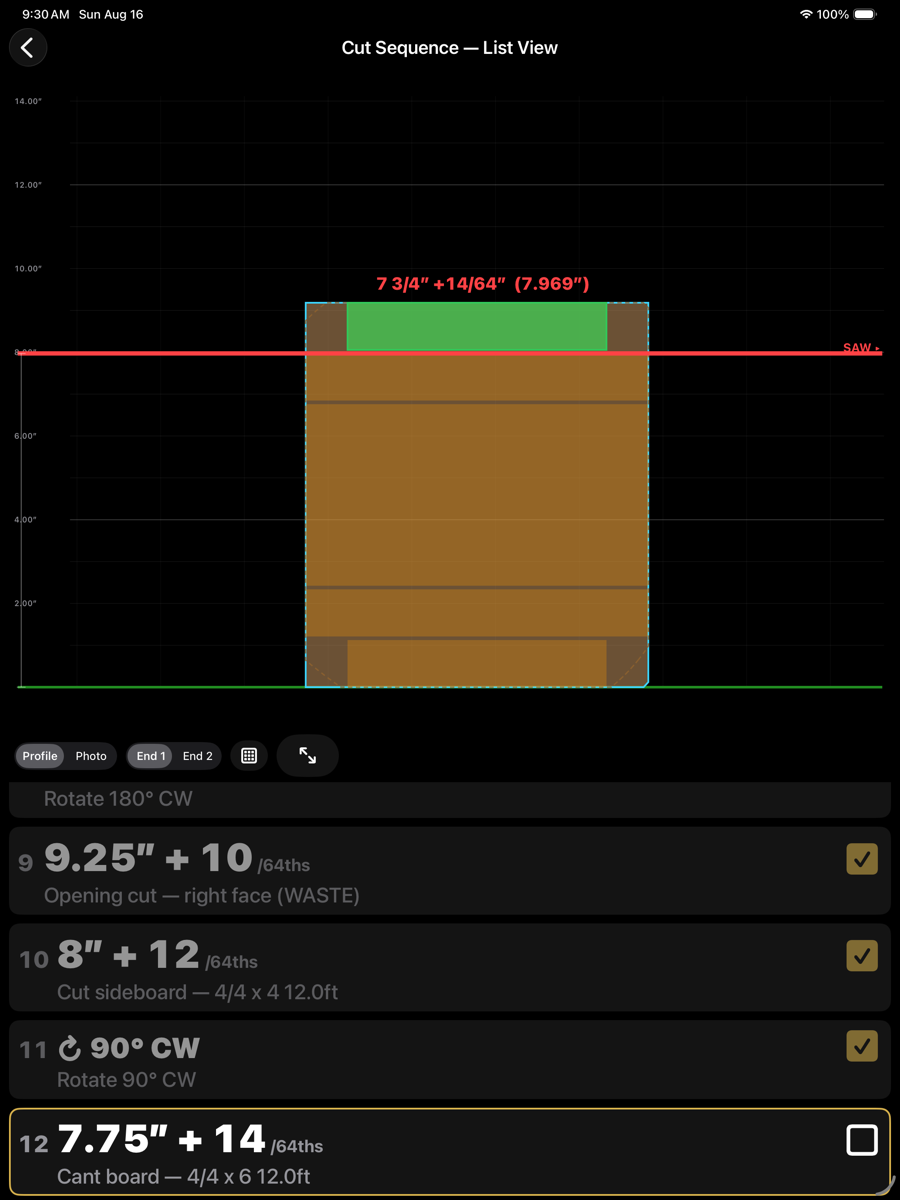
List view — the whole sequence, with the current step outlined
Rows
Row contents
Element
Example
Description
Step number
12
Position in the sequence.
Setting
7.75" + 14 /64ths
Saw height, given in whole inches plus sixty-fourths so it can be dialled straight into the setworks. Rounded to the sawhead resolution set in Machine Setup.
Action
Cant board — 4/4 x 6 12.0ft
What the cut produces, or the movement to make. Rotations read as a turn and an angle; waste cuts are marked WASTE.
Tick
checkbox
Marks the step done. The current step is outlined.
View controls
Views
Element
Example
Description
Profile / Photo
toggle
Draws the section as an outline or over the end photograph.
End 1 / End 2
toggle
Which end you are looking at. The instructions are written from the carriage end.
List
grid icon
Switches between the graphical step view and this list.
Expand
⇺
Fills the screen with the drawing.
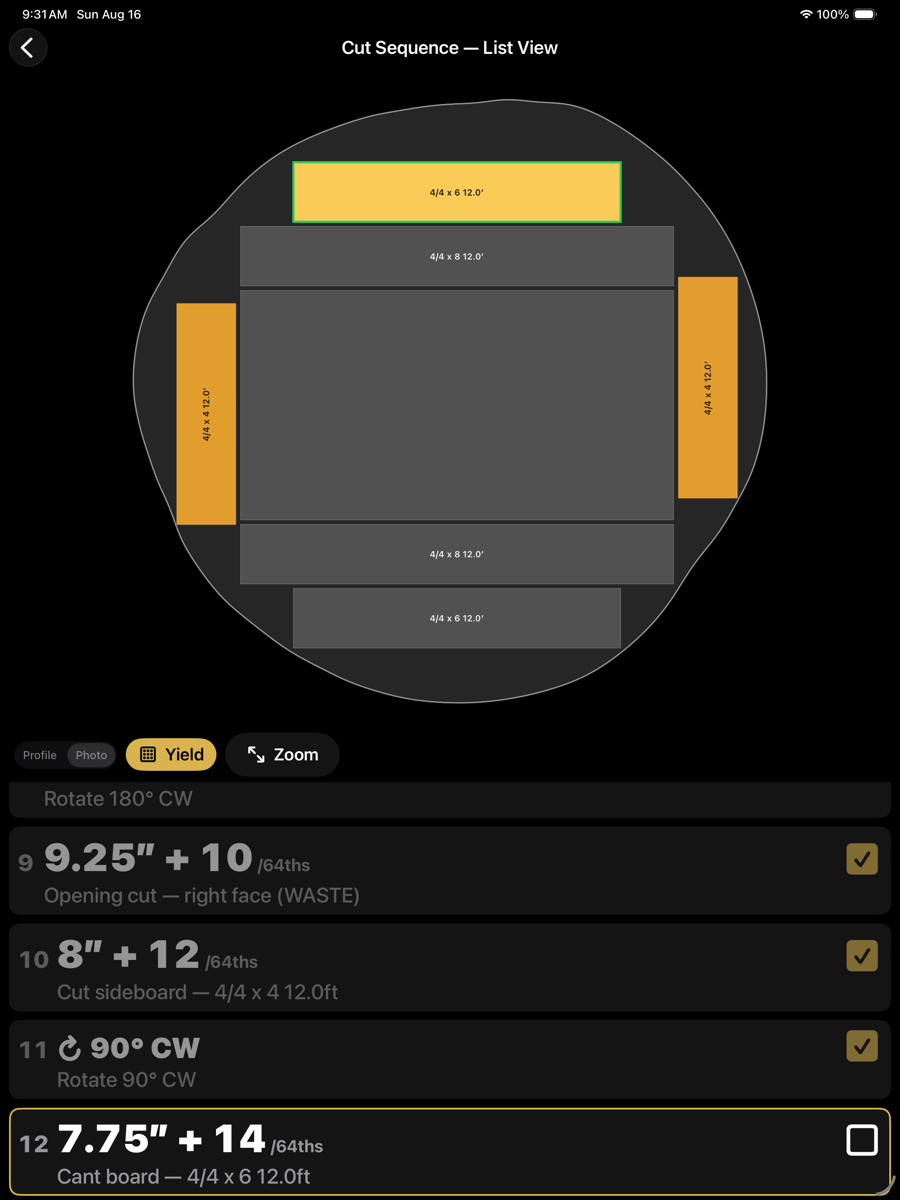
Yield — the boards recovered so far
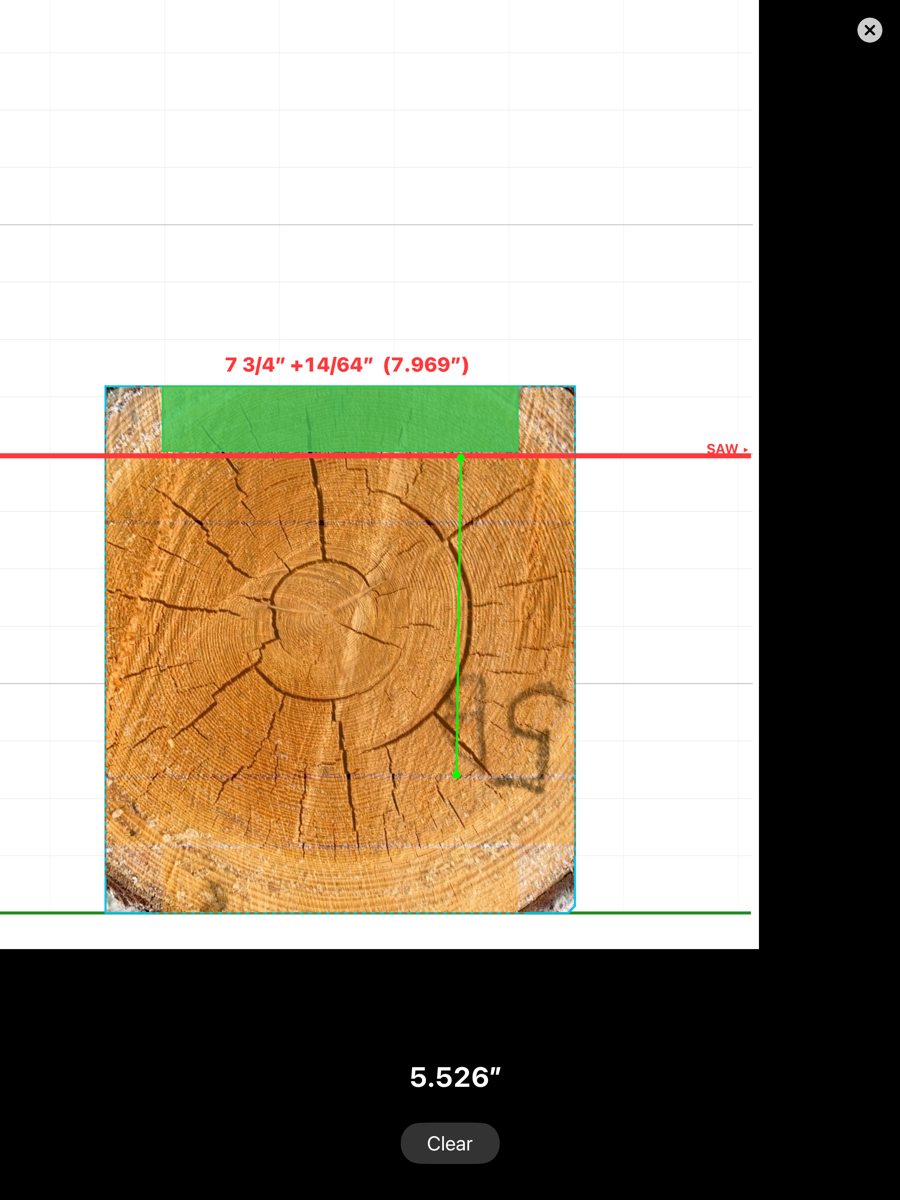
Measure — distance between two points on the section
Saw heights are rounded to the sawhead resolution, and toe-board lifts to the toe-board increment, both set in Machine Setup. The figures shown are therefore settings the machine can actually be dialled to.