Manual › Log Master › Length configuration
Length configuration
The set of lengths products can be cut to. A product set is assigned one configuration, and cuts to the lengths defined in it.
Documents Log Master 1.04.1 · updated 2026-10-25
Length Configuration
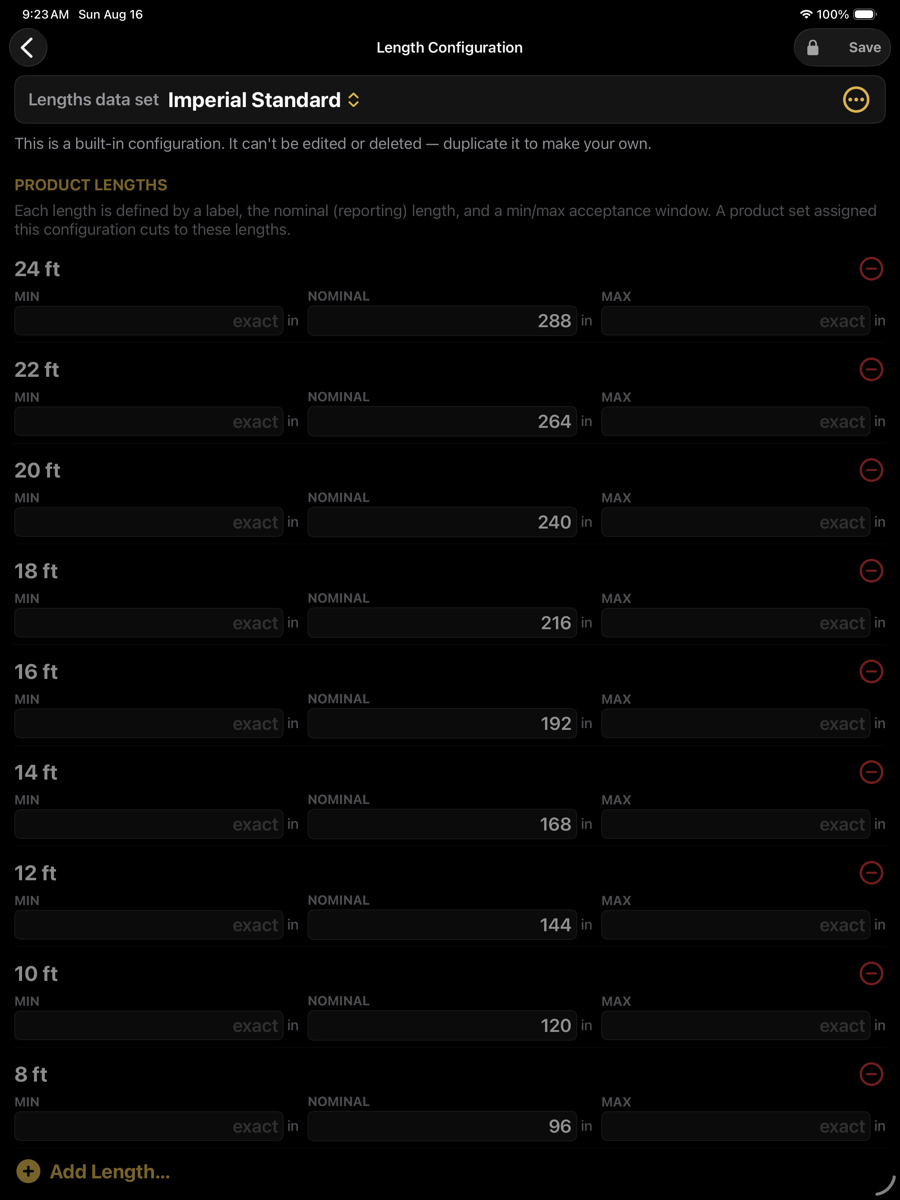
Length Configuration — optimizer menu › Setup › Length Configuration
Fields
Each length carries a label, a nominal length, and an optional acceptance window.
Fields
Field
Example
Description
Lengths data set
Imperial Standard
The configuration being edited. Built-in configurations cannot be edited or deleted; duplicate one to create an editable copy.
Label
24 ft
How the length is named throughout the app — in the price grid columns, in board labels and in reports.
Min
exact
Shortest board accepted for this length. Left blank, the nominal length must be met exactly.
Nominal
288 in
The reporting length. Boards cut to this length are priced and reported against it.
Max
exact
Longest board accepted for this length. Left blank, the nominal length must be met exactly.
Remove
⊖
Deletes the length from the configuration.
Add Length…
bottom
Adds a length to the configuration.
The acceptance window
Min and max define the range of actual lengths that may be sold as this length. Both blank means the board must reach the nominal length exactly. Setting a minimum below nominal allows a board that falls short to be sold as the shorter length; such boards are marked with an asterisk in reports.
A length configuration is a data set in its own right, shared between product sets. Changing it changes the columns available in every price table that uses it.