The end scan workflow
Measures one end face and treats the log as a straight prism of an entered length. No taper or sweep is measured.
Documents Log Master 1.04.1 · updated 2026-10-25
End scan walkthrough — 41 seconds
End scanning — main menu › End Scanning
Measuring the face
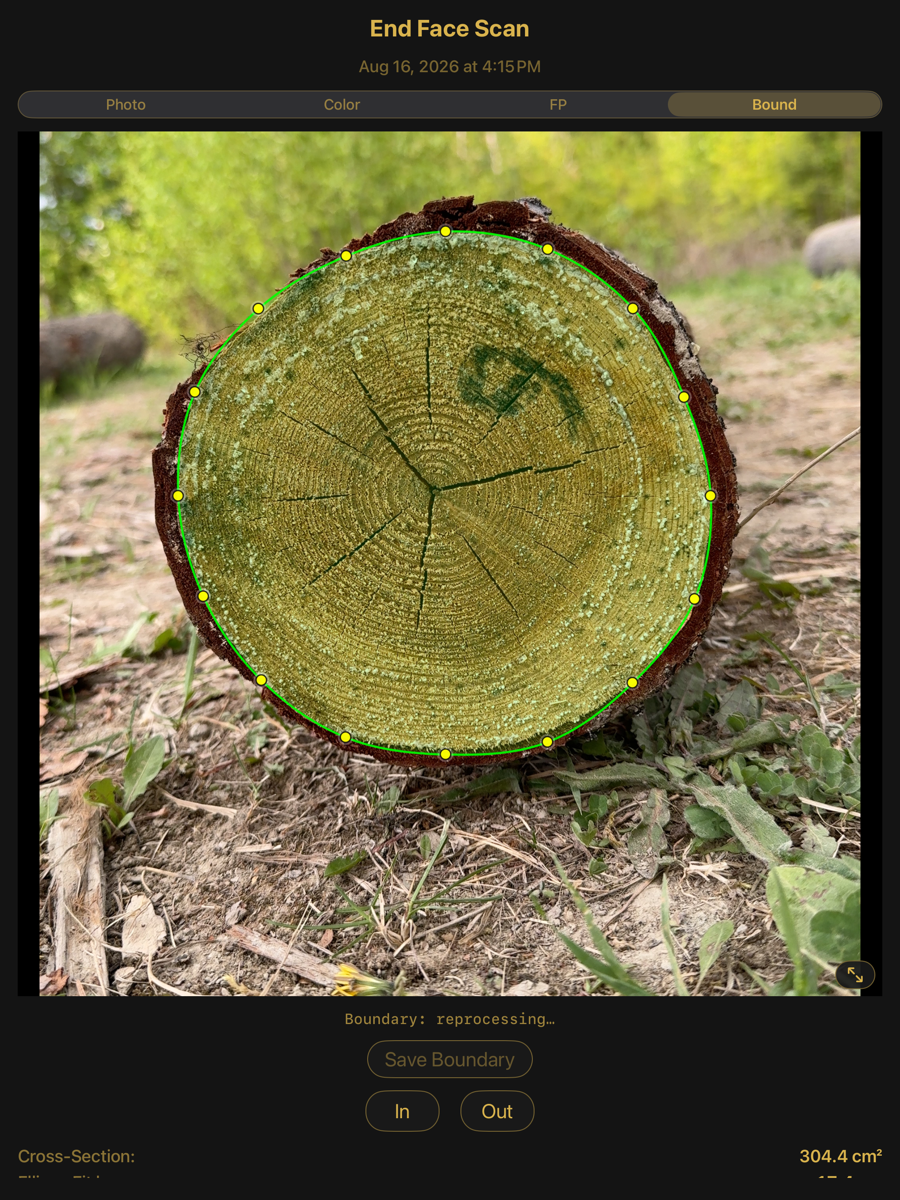
The same four views as a full-log end face: photo, colour, fingerprint and boundary. There is no large-end / small-end selector because only one face is captured.
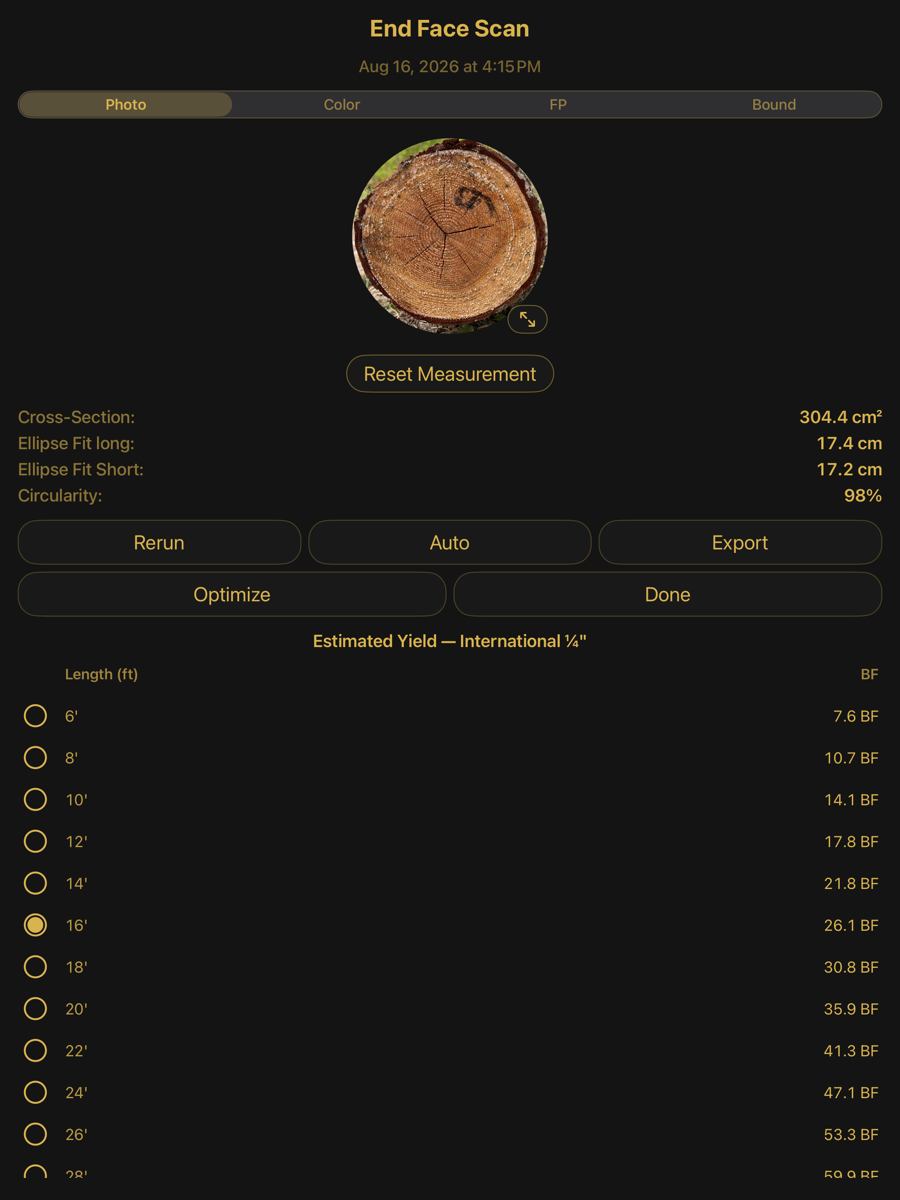
Photo view, with the estimated yield table beneath
Measurement
Element
Example
Description
Cross-Section
304.4 cm²
Area enclosed by the traced boundary.
Ellipse Fit long
17.4 cm
Major axis of the fitted ellipse.
Ellipse Fit Short
17.2 cm
Minor axis.
Circularity
98 %
Minor over major axis.
Rerun
button
Re-runs detection on the captured face.
Auto
button
Returns to the automatically detected boundary.
Reset Measurement
button
Discards a manual boundary.
If no end face is found in the photo during verification, the boundary starts from a placeholder circle that has to be dragged onto the face before the capture can continue; see When no end face is found.
Estimated yield
Board feet the face would yield at each candidate length, computed under the selected log scale rule. Choosing a length sets the length the prism is extruded to.
Estimated yield
Element
Example
Description
Rule
International ¼"
The log scale rule selected in Settings. The table is computed under it.
Length
6′ … 28′
Candidate lengths for the log.
BF
26.1 BF
Scale board feet the end face yields at that length.
Selection
16′
The chosen length. This is the length the prism is extruded to when the scan is optimized.
Bound — the traced boundary, editable
Optimizing
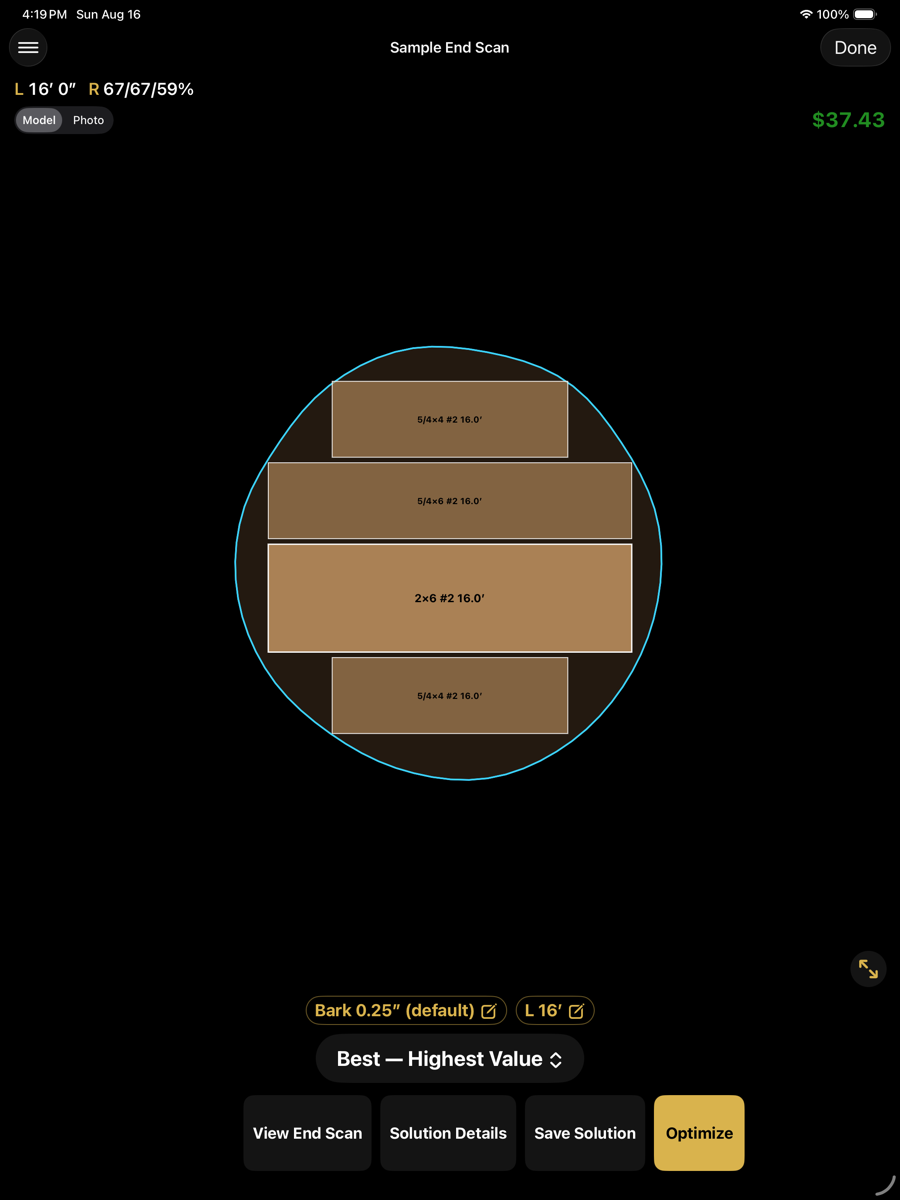
The prism is solved like a log, but with constant cross-section along its length.
Solution
Element
Example
Description
Length chip
L 16′
The entered length. Tap to change it and re-solve.
Bark chip
Bark 0.25" (default)
Bark deducted from the traced face.
View End Scan
button
Returns to the measurement view.
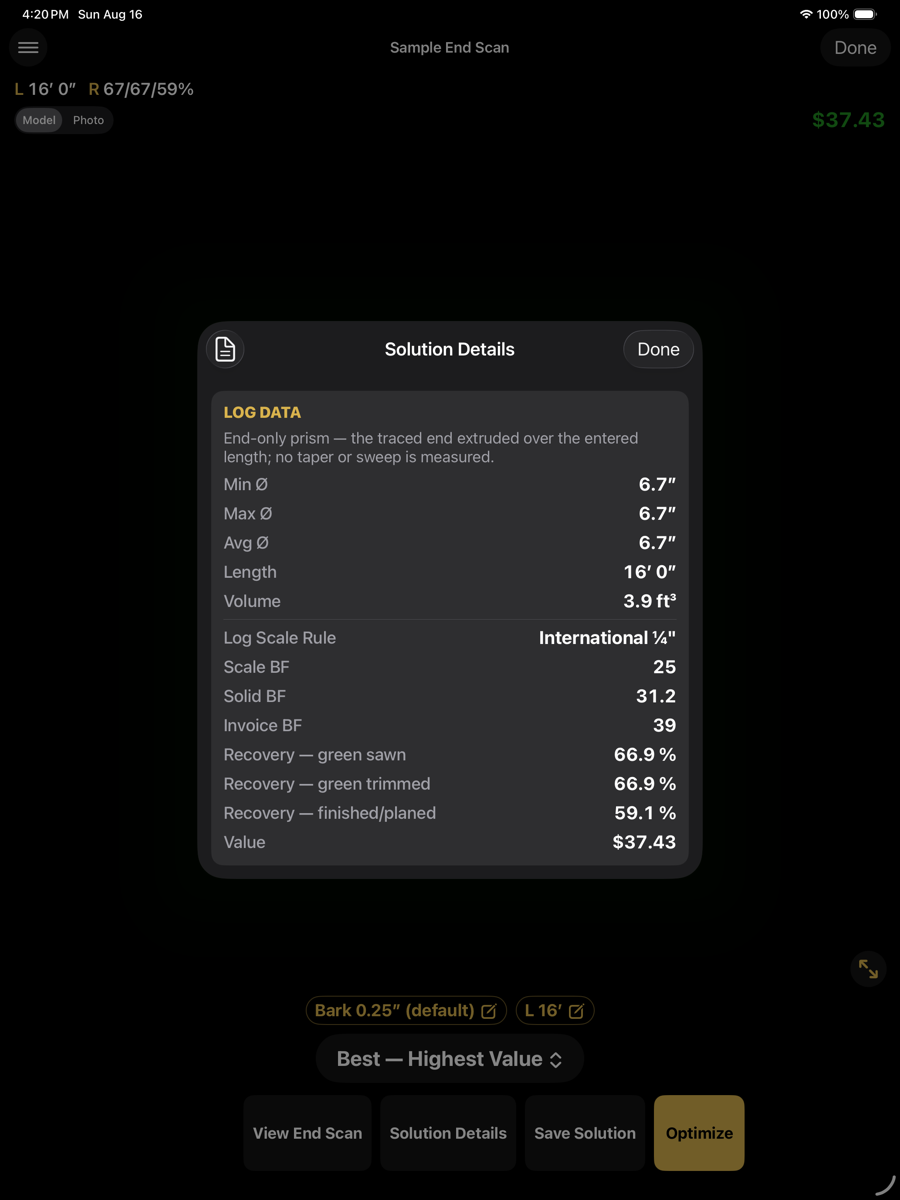
Solution Details
button
Log data, recovery and value for the prism.
Save Solution
button
Files the solution beside the scan.
Optimize
button
Re-solves with the current length and bark.
Solution Details — log data, recovery and value
Because the prism has no taper, minimum and maximum diameter are equal and sweep is not reported. Recovery figures are therefore optimistic relative to a real log of the same end size.
Cut sequence
An end-only solution gets a full cut sequence, the same graphical and list views described in The cut sequence. One thing is different: an end scan has no vertical datum until a cut has produced a flat to rest on, so the sequence alternates between two kinds of instruction as the log turns.
End-only steps
Log rests on
Instruction
Description
Bark (uncut face)
Target face width
Saw until the exposed face is this wide. No saw-height number is given — the height above the bunk is not known until this cut is made.
A sawn flat
Saw position
A normal saw-height instruction, the datum now being the flat produced by the previous cut.
No toe-board steps appear on an end-only sequence — the prism carries no taper information to lift for.