Manual › Log Master › Import and export
Import and export
Moves setup data sets, scans and solutions between devices as a single pack file.
Documents Log Master 1.03 · updated 2026-09-17
See it done in short videos: Exporting a Product Set and Importing a Product Set.
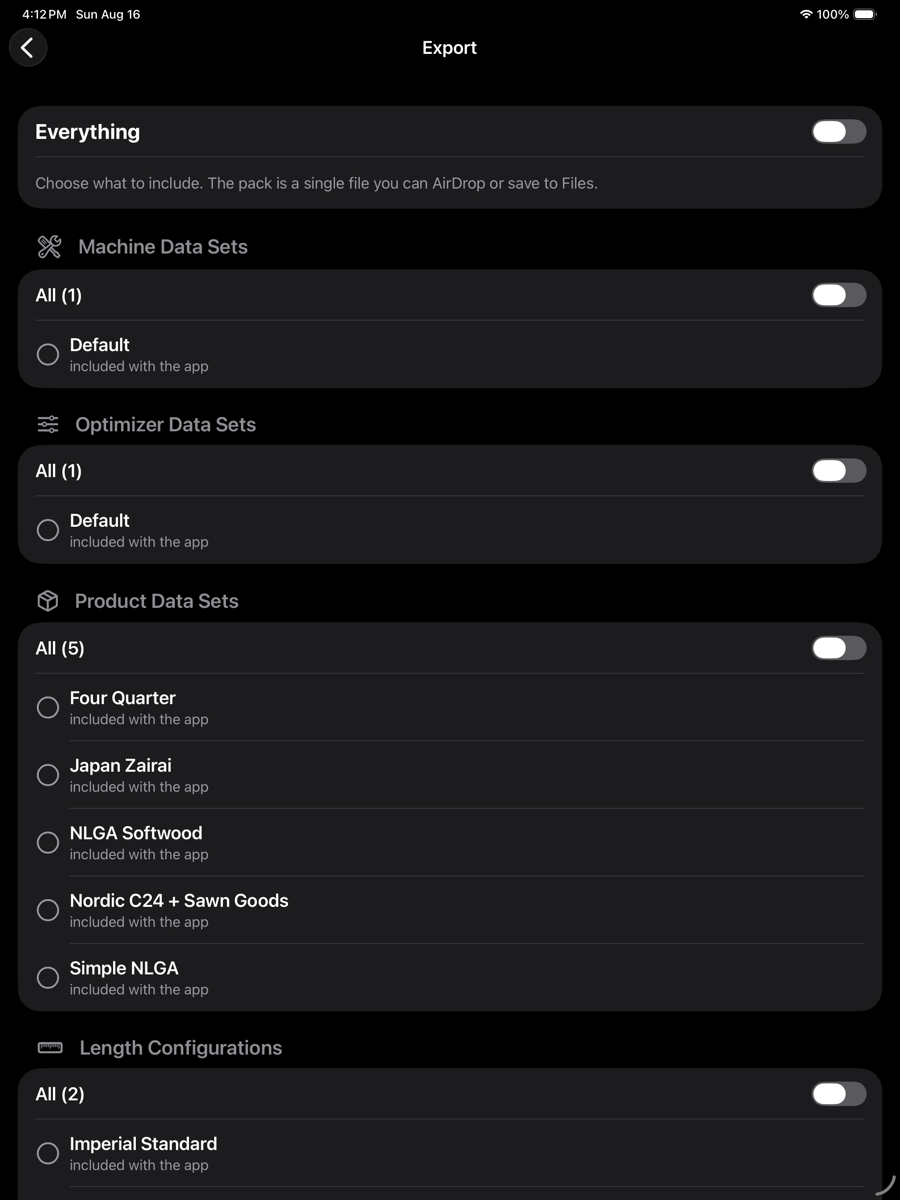
Export — optimizer menu › Tools › Export…
Export
Produces a single pack file that can be sent by AirDrop or saved to Files. Items are chosen by kind, and within each kind individually.
Export
Element
Example
Description
Everything
toggle
Includes every item below. Turn it off to choose individually.
Machine Data Sets
All (1)
Mill definitions.
Optimizer Data Sets
All (1)
Boundary, sawing, search and reporting parameters.
Product Data Sets
All (5)
Product lists with their prices.
Length Configurations
All (2)
The length definitions product sets are assigned.
Scan Files
—
Captured scans.
Solution Files
—
Saved solutions.
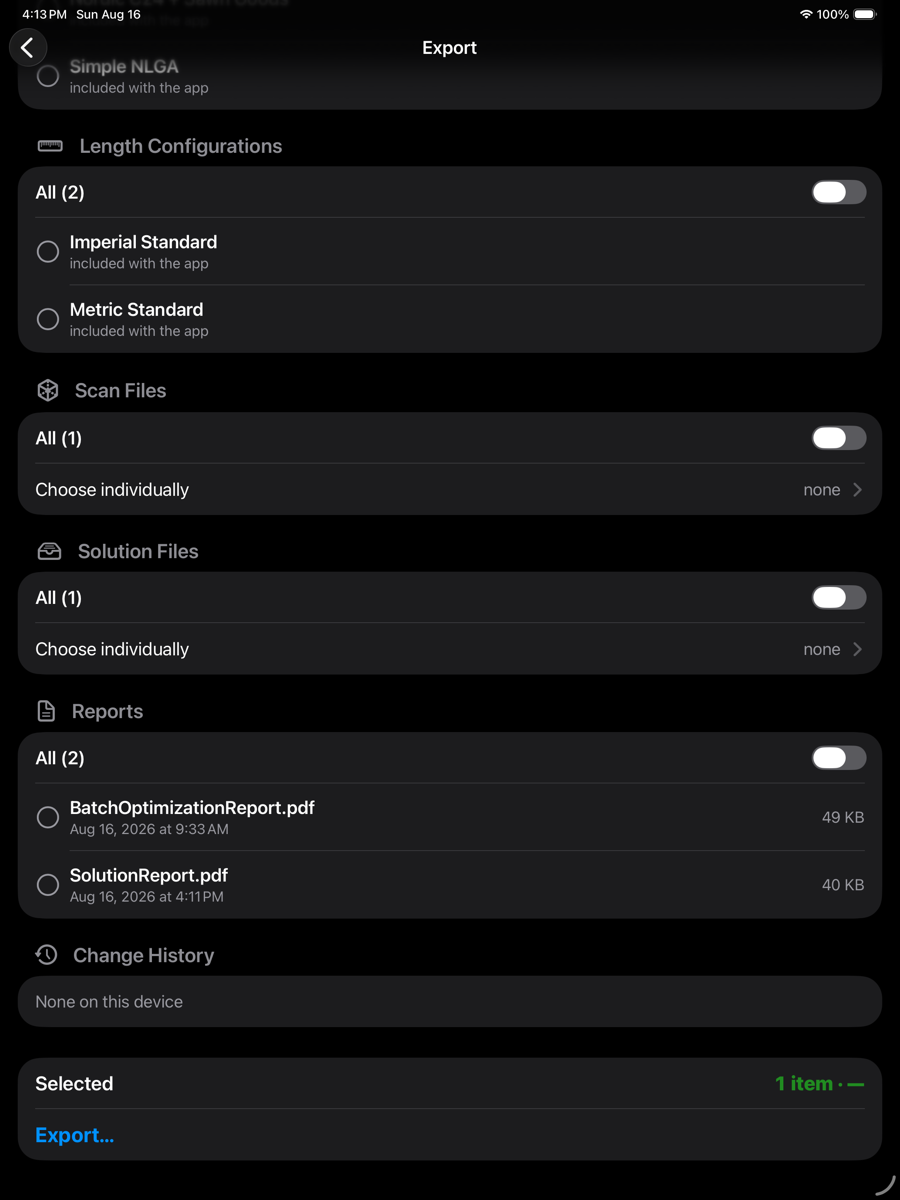
Export — scans and solutions
Import
Reads a pack and lists what it contains, alongside what is already on this device.
Import
Element
Example
Description
Open Pack…
top right
Chooses a pack file to read.
Everything
toggle
Brings in every item the pack contains.
Section
None on this device
What the pack holds for that kind of item, and whether anything of that kind is already present.
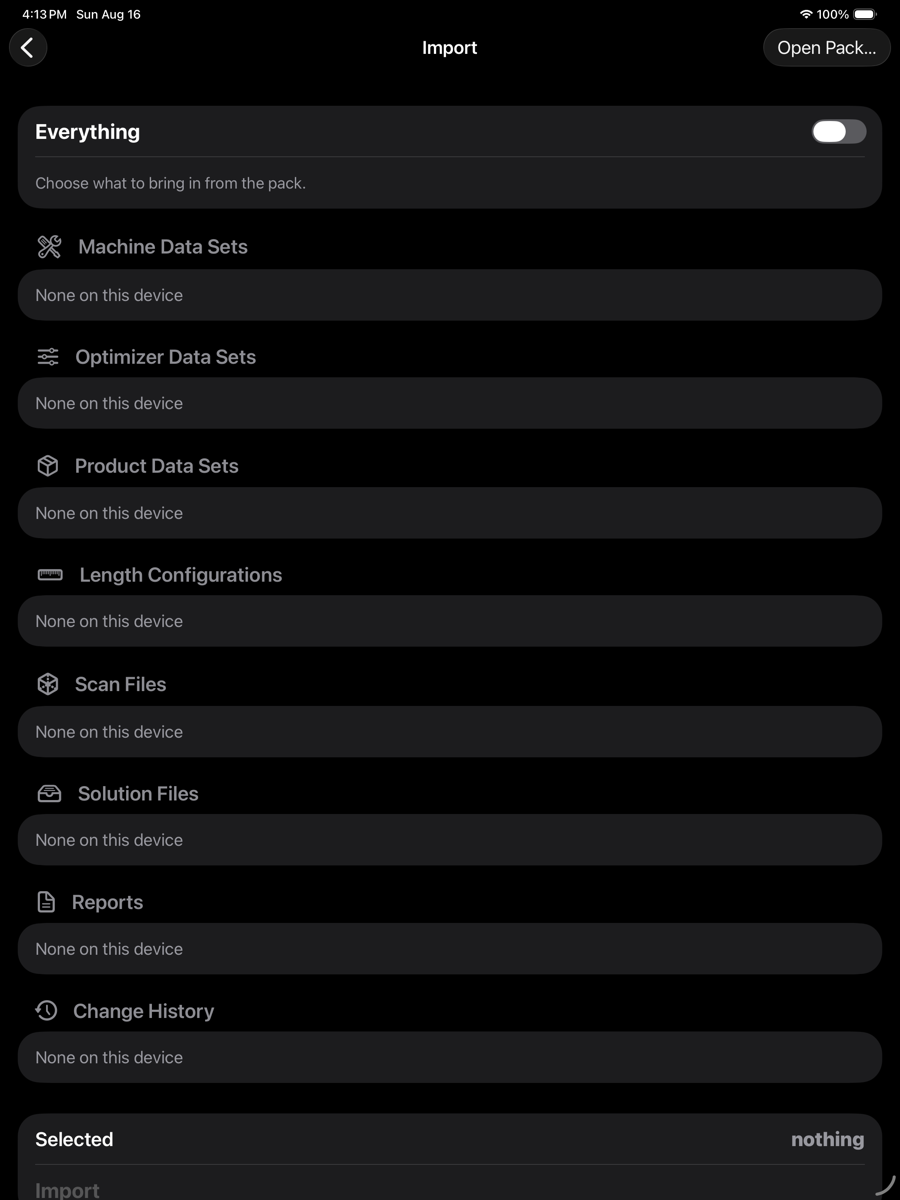
Import — optimizer menu › Tools › Import…
A product set carries a reference to a length configuration. Exporting the product set alone will not bring the lengths with it unless that configuration is included.
Names that already exist
Where an incoming item has the same name as one already present, the import offers the usual choices. Keeping both renames the incoming copy. Scans and solutions are never replaced.